
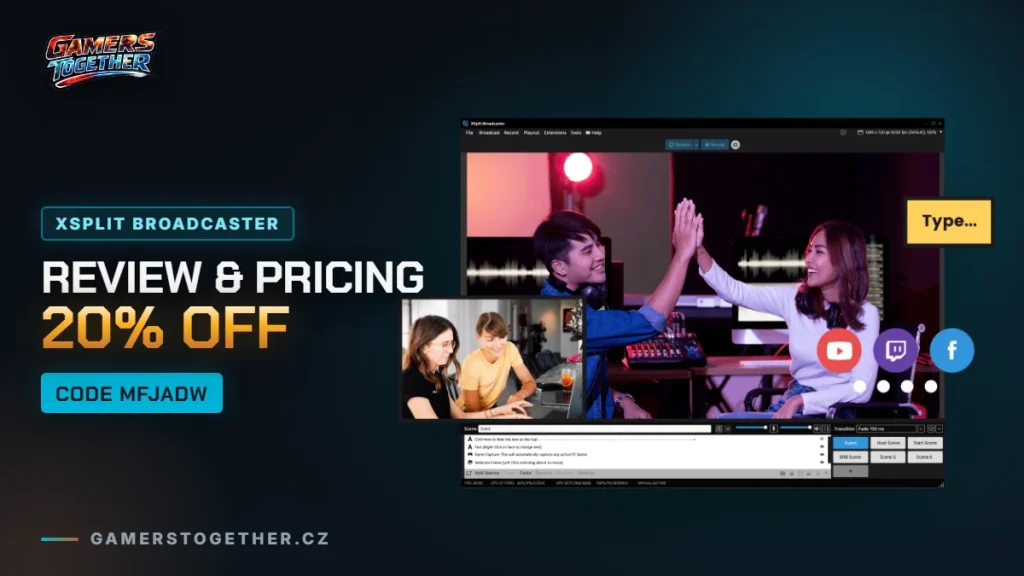
XSplit Broadcaster is Windows streaming and recording software that powers everything from small home streams to big esports productions. Here’s what it does that free OBS doesn’t, what each license costs, and how to get XSplit at up to 20% off with code MFJADW.
Quick summary:
- XSplit Broadcaster is paid software with a free tier – no watermark up to 720p, limited to 4 scenes.
- Premium costs $14.99/month, $59.99/year, or a $119.99 one-time lifetime license (official pricing).
- Compared to OBS, you get a polished interface, paid support and a plugin store – the trade-off for OBS being free and open-source.
- Code MFJADW gets you up to 20% off at checkout through the link below.
- Windows only – there’s no Mac version.
What XSplit Broadcaster actually does
XSplit is a scene-composition, streaming and recording app – you drag sources (camera, game capture, browser, image) into scenes and switch between them live. What makes it worth a look even if you already know OBS:
| Feature | What it’s for |
|---|---|
| Source Masking / Chroma Key | Removes your background with fine threshold control, even without a green screen. |
| Multistreaming | One stream to Twitch, YouTube and Kick at once, no second encoder needed. |
| Custom Transitions | Real scene transitions instead of a hard cut. |
| NVIDIA Encoding | Offloads streaming to the GPU so it doesn’t eat the CPU the game is running on. |
| Noise Suppression | Cleans up your mic live without extra software. |
| Plugin store | Third-party extensions – overlays, stat trackers, chat integrations. |
XSplit VCam (background removal for video calls, sold separately from Broadcaster) is a different product and isn’t covered here – this is about Broadcaster.
XSplit vs OBS: why pay for something a free competitor also does
It’s the question almost everyone asks before buying. OBS Studio is free, open-source and technically capable. The real difference is elsewhere:
| XSplit Broadcaster | OBS Studio | |
|---|---|---|
| Price | Limited free tier, Premium from $5/month (yearly plan) | Free, no limits |
| Interface | Guided, with ready-made layouts | More open, more manual setup |
| Support | Paid customer support | Community forums and Discord |
| Extensions | Paid plugin store, consistent UI | Free plugins, quality and upkeep vary |
| Built-in multistreaming | Included in Premium | Needs an external service or plugin |
Short version: OBS makes sense if you want to build your setup yourself and don’t mind troubleshooting on forums. XSplit makes sense if you want things working fast, want support you can actually contact, and want multistreaming without stacking extra tools.
Pricing and licenses
| Tier | Price | What you get |
|---|---|---|
| Free | $0 | Streaming up to 720p, no watermark, 4 scenes, personal use only |
| Premium monthly | $14.99/month | Unlimited scenes and resolution, commercial use allowed |
| Premium yearly | $59.99/year ($5/month) | Same as monthly, lowest recurring price |
| Premium lifetime | $119.99 one-time | Same as yearly, no recurring payment |
Up to 20% off with code MFJADW
GamersTogether reader discount: code MFJADW
Through the official XSplit store you can get a Premium license, and code MFJADW takes up to 20% off at checkout. Buy XSplit Broadcaster with the discountThis is an affiliate link. If you buy through it, GamersTogether earns a commission. It doesn’t change your price or what we write here.
Enter the code in the discount code field at checkout, before you pay. The exact discount can vary by license and current store promotions.
Who XSplit is for, and who should skip it
If you’re just starting out and want to build a stream for free, start with OBS – paying for XSplit makes sense once you hit one of its specific limits: multistreaming, needing real support, or ready-made layouts for multiple people on screen. If you stream commercially, run more than one output at once, or just don’t want to spend your evenings tweaking settings, it’s the other way around – XSplit saves you time worth more than the license.
FAQ
The free tier is, but it caps streaming at 720p without a watermark and limits you to 4 scenes and personal use. Unlimited resolution and commercial use need a Premium license.
Neither is universally “better.” OBS is free and more open, but you build the setup yourself. XSplit costs money but gives you a ready interface, paid support and multistreaming without stacking extra tools.
Enter code MFJADW at checkout in the official store when buying a license and you get up to 20% off.
No, XSplit Broadcaster is Windows only. There’s no official Mac version.
If you’re setting up your first stream, check out our game guides hub, or browse more articles like this one in Gaming articles.