
Nintendo Switch 2 runs most physical and digital Nintendo Switch games, but not all of them, and not always in full. This guide shows how to check a specific game with Nintendo, which games still need the original Joy-Con, what happens with controllers, accessories and microSD cards, and why some older games look better on Switch 2. Everything here is accurate as of 20 October 2026.
The short answer: most games work, not all
Switch 2 plays compatible Switch 1 games from a cartridge or from your digital library. The hardware is different from the original console, though, so some games may not be supported at all or only partly. Nintendo says it is working with developers to improve compatibility, so the picture keeps changing.
It also works the other way round, to a smaller extent. A Nintendo Switch 2 Edition cartridge inserted into a Nintendo Switch starts the regular Switch 1 version, without the Switch 2 Edition content. How editions and upgrade packs work is covered in our guide to Switch 2 games.
How to check a specific game
Before you buy a new console just to keep playing an old favourite, look the game up in Nintendo’s compatibility search. Nintendo itself recommends checking it before you buy: type in the title and you will see whether it runs on Switch 2 without issues or with limitations. You will find it on the Compatible games page.
That is why you will not find a long works or does-not-work list here. The status of individual games changes with updates, and Nintendo’s search is the only reliable source. Below you will only find games from lists that Nintendo has published itself.
Games that need the original Joy-Con
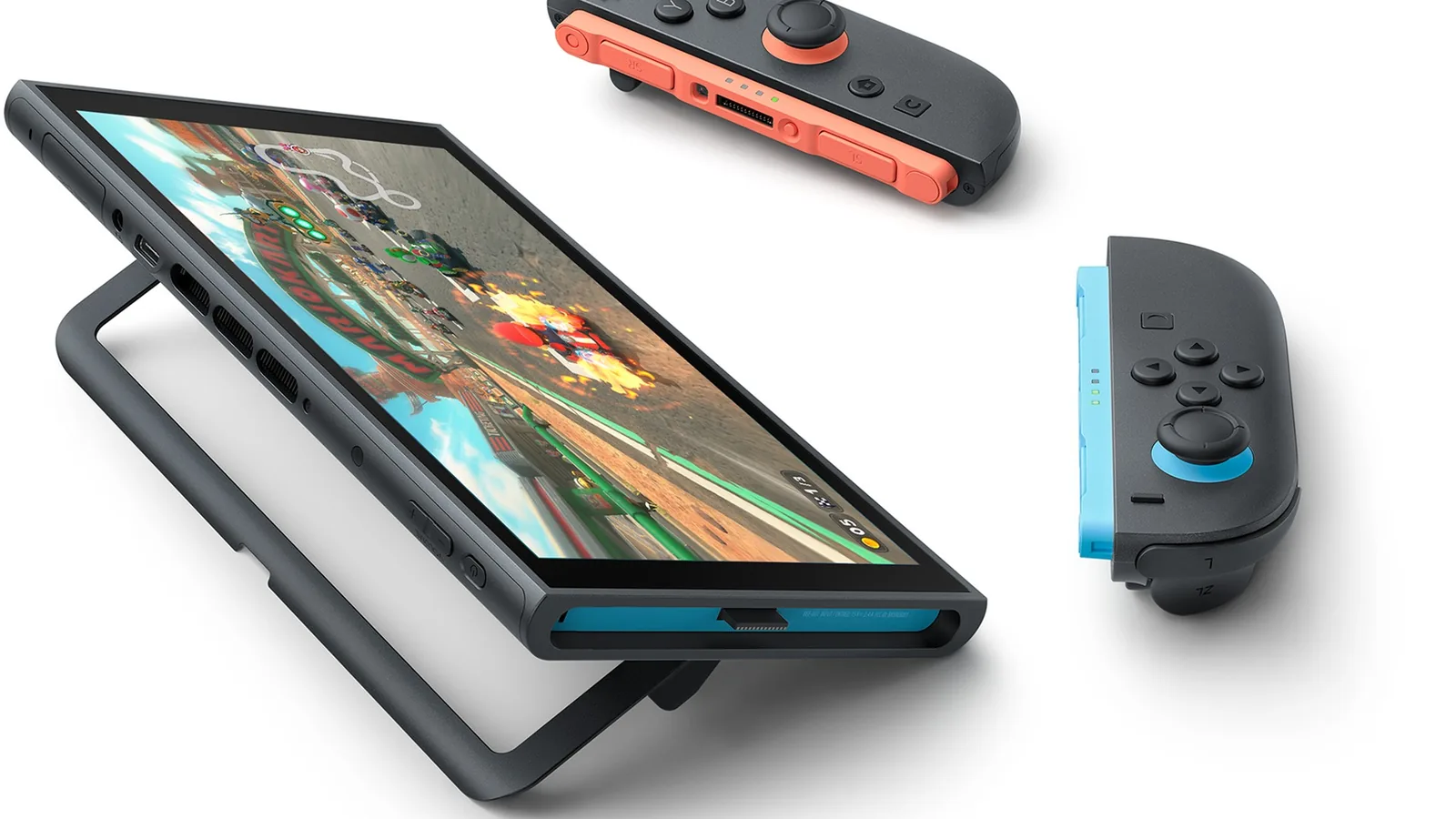
Nintendo keeps an official list of games that cannot be played, fully or in some modes, with the Joy-Con 2 included with Switch 2. If you own the original Joy-Con and connect them to Switch 2 wirelessly, you can play these games just as you did on Nintendo Switch.
| Game | Why Joy-Con 2 is not enough |
|---|---|
| Ring Fit Adventure | Joy-Con 2 cannot attach to the Ring-Con or fit in the leg strap |
| 1-2-Switch | no IR Motion Camera |
| Everybody 1-2-Switch! | listed by Nintendo |
| Game Builder Garage | no IR Motion Camera |
| Dr Kawashima’s Brain Training | no IR Motion Camera |
| Nintendo Switch Sports | Soccer Shoot-Out mode with the leg strap |
| WarioWare: Move It! | no IR Motion Camera |
| Nintendo Labo Toy-Con 01, 02 and 03 | Switch 2 does not fit some Toy-Con parts |
So there are three reasons. Joy-Con 2 have no IR Motion Camera, which the original right Joy-Con had. They do not fit the Ring-Con or the leg strap. And the Switch 2 console itself does not fit some of the cardboard Nintendo Labo parts.
Watch out for charging. The original Joy-Con cannot be attached to Switch 2, so you cannot charge them on it either. You need a Nintendo Switch or an accessory such as the Joy-Con charging grip or a charging stand.
Switch 1 controllers and accessories
- Pro Controller and Joy-Con from Switch 1 work with Switch 2 wirelessly, even in Switch 2 exclusive games. They lack features unique to Joy-Con 2, such as mouse controls.
- Waking from sleep: the HOME button on a Switch 1 controller will not wake Switch 2.
- GameChat: older controllers have no C button, so you open GameChat from the HOME Menu instead.
- Not the other way round: Joy-Con 2 and the Switch 2 Pro Controller only work with Switch 2, not with the original console.
- Other accessories: most Switch 1 accessories also work with Switch 2, with some exceptions listed by Nintendo in the Switch 2 FAQ.
microSD cards: old ones are for photos only
Switch 2 stores games in its internal memory or on a microSD Express card. A regular microSD card from Switch 1 (not Express) cannot be used for games. Switch 2 only reads screenshots and videos from it. If your old console has a big card full of games, plan on a new microSD Express card for the new one. How much storage Switch 2 has and what Express cards offer is explained in our Switch 2 specs guide.
Free updates for older games
Some Switch 1 games get free updates for Switch 2. Depending on the game, they add higher resolution, a smoother frame rate or GameShare support. What you get varies from title to title, there is no single rule.
Do not confuse them with paid upgrade packs and Nintendo Switch 2 Edition games. Those improve a game further (visuals, new features or modes) and their content can only be played on Switch 2.
GameShare only partly works with the older console. The game is always shared by a Switch 2. Locally, a Nintendo Switch can join too if the game is compatible, but online sharing via GameChat only works between Switch 2 consoles. More in our guide to Nintendo Switch Online.
Games that start but have issues
Besides the search tool, Nintendo also keeps a list of Switch 1 games that start on Switch 2 but have known issues, which Nintendo says are being investigated. Examples include Alien: Isolation, Factorio and Fall Guys. To see whether the issue in your game has been fixed, check the compatibility search.
Moving over from Switch 1?
You can move games, save data and settings to the new console with a system transfer, which starts during the initial setup of Switch 2. The step-by-step process is in our system transfer guide.
Join our Discord and ask other players how their older games and controllers run on Switch 2: GamersTogether Discord.
FAQ
No. Most compatible physical and digital games run, but some may not be supported at all or only partly. Check a specific game in Nintendo’s compatibility search.
Yes, wirelessly, even in Switch 2 exclusive games. They lack Joy-Con 2 features such as mouse controls. They cannot be attached to the console, so you cannot charge them on it.
Only to load screenshots and videos from Switch 1. Switch 2 stores games in its internal memory or on a microSD Express card.
Yes, but you need the original Joy-Con connected wirelessly. Joy-Con 2 do not fit the Ring-Con or the leg strap.
No. Joy-Con 2 and the Switch 2 Pro Controller only work with Switch 2.
Information verified on 20 October 2026. More guides for the console are in our Switch 2 guides.