
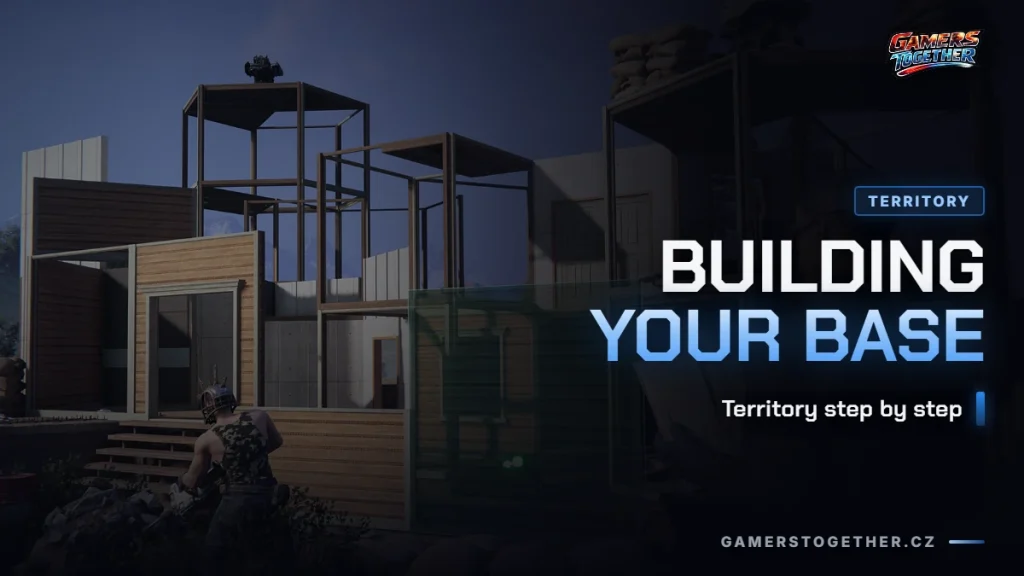
Your territory is the one place in Once Human that nobody can simply take from you. It is your permanent base in the middle of an infected landscape, where you craft, store items, keep Deviants and rest between expeditions. Without a working territory you can barely progress: raw materials don’t process themselves, and Deviants without a home base produce nothing. This article shows you where to set up your territory, how to expand it step by step, when and how to relocate it, and above all what happens to your base once the season ends.
What a territory is and why the whole game rests on it
A territory is a bounded piece of the map that you claim as your own building plot. Inside it you place workbenches, production lines, storage and Deviant facilities, and it is exactly this combination that makes the territory the heart of the game. Without it you have nowhere to process raw resources into materials, nowhere to sleep safely and nowhere to leave automation running while you are out on an expedition somewhere else.
Update 3.0.5 from 2 September 2026 confirms that the developers take logistics inside the territory seriously: it added a search function to storage crates and storage terminals, so you can find an item among dozens of boxes at your base by typing a keyword instead of going through them one by one. The official patch notes describe it directly as an improvement to “territory logistics”. In other words, the more you craft and store at your base, the more this addition pays off.
Production in your territory is driven largely by the Deviants you place there and by the raw materials you bring in from outside. If you are still figuring out where to get materials, check the overview of farming resources and currencies.
Where to build your territory
The biggest constraint when founding a territory isn’t resources, it’s the location itself. The game won’t let you build a base too close to roads, bodies of water or existing structures, and certainly not inside a territory that already belongs to another player. So before you start building, you need to find a spot that meets these conditions and still leaves you enough room to expand later.
Room to grow is exactly what players most often underestimate, based on earlier experience. A base placed right next to a settlement or a lake is harder to expand later in the game because there is simply nowhere left to spread out. It pays to explore the map around you properly before choosing the final spot, ideally from above or while flying, so you can see what is nearby and how much space you really have. The Once Human map overview helps with finding your way around the world and choosing a location. The same thinking about base placement is covered in the overview of the best base locations in Conan Exiles.
Before placing your base, it is also worth clearing the vegetation around it. Once the territory is built, vines and bushes inside its area disappear and can no longer be removed by hand. It’s a detail you only deal with once, but it saves you from a messy layout around your base later.
How to upgrade your territory
Basic expansion of your territory’s area and height is done through a menu that is available from the moment you first place your base. Through it you gradually increase both the building area and the construction height, depending on how many resources and tech unlocks you already have. One of the unlocks goes through the upgrade tree in the game’s building section, so before you hit the expansion cap, check whether you are missing something there.
Console players also got their own shortcut in update 3.0.5: in the territory hub you now just press Y to upgrade your base right away, without clicking through menus. It’s a small thing, but it shows that the developers see territory upgrades as a routine, repeated activity worth speeding up.
Upgrading isn’t only about size, but also about the new equipment you bring into your territory. The Battle Pass in update 3.0.4 included, among other things, several recipes for territory buildings, so keeping an eye on the current seasonal pass is worthwhile even if you don’t care much about PvP, because new recipes and decorations regularly arrive this way. Themed sets of facade pieces in the shop work similarly: update 3.0.5 added, for example, the Pure White Courtyard collection with a fence, a half fence and a gate, which lets you decorate your territory without crafting anything yourself.
It’s also worth mentioning that more game systems connect to your territory than you might expect. After update 3.0.5, vending machines can also trade items of the “equipment” type, so building equipment can reach your base through purchases from other players, not only through your own crafting. And if you are curious how closely the developers watch building mechanics, the same update fixed a small bug where animals in a territory walked through some doors and door frames instead of stopping at them. That’s a detail you’ll notice mainly if you have animal companions or bred Deviants roaming freely around your base.
Relocating your territory
If you find that your current location has no room to grow, or you simply want a spot with a better view, you can relocate your territory without rebuilding it from scratch. The same restrictions apply as for the first placement: you can’t build too close to a road or existing structures, and you can’t build inside a territory that belongs to another player.
You start the relocation from build mode, where the option to move the whole territory sits in the lower left part of the interface. While relocating, you can freely rotate the base and change its placement height until you find a position that suits you. After you confirm the new spot, a short cooldown runs before you can move the territory again, so it pays to choose the spot carefully the first time rather than moving your base over and over by trial and error.
What happens to the items in your territory follows a simple rule: everything that is physically inside the territory or connected to it moves with it to the new location. Anything lying outside the territory boundary is moved back to your storage during relocation, and you have to take it out and place it again by hand. Before relocating, check whether you have anything half-built or left just outside the boundary. You can then find a specific piece in your crates by keyword, because the September update added search to storage crates and storage terminals.
Saving and reusing your base blueprint
The complete layout of your territory, including buildings, equipment and furniture, can be saved as a blueprint, which you then use to quickly restore the same layout, either at a different location or after losing access to the original territory. You save the blueprint directly from build mode through a menu where you choose whether to save the whole territory or just one specific building. A saved blueprint contains the full list of structures and equipment, including an exact list of the materials you need to rebuild it, so before you start building you can immediately see what’s missing from your storage.
And here comes the most important information in the whole article: building blueprints and layouts are among the things in Once Human that carry over across seasons automatically, without spending Resource Inheritance Points. According to the official FAQ for the console release, layout designs, recipes and blueprints stay directly on your account. That’s unlike weapons, armor, resources, medicine and so-called calibration blueprints, which go to Eternaland, and you bring them back into a new season with Resource Inheritance Points.
| What happens to your territory after the season ends | How it works |
|---|---|
| The physical structure on the server | Stays where it stands; it belongs to a specific server, not to your account as such |
| Saved territory blueprint | Carries over automatically, without Resource Inheritance Points; you take it with you into every new scenario |
| Building recipes and formulas | Carry over automatically, just like other blueprints |
| Resources stored in the territory | Go to Eternaland; you bring them back with Resource Inheritance Points |
In practice this means that even if the building itself is lost on an abandoned server, the layout you designed and fine-tuned comes with you into the next scenario, and you can rebuild your base in a fraction of the time, provided you have enough resources left or gather them quickly. A complete overview of what else carries over automatically and what you have to handle through Eternaland is in the article on seasons, wipes and Eternaland.
Deviants in your territory: production and mood
Some of the Deviants you tame belong directly in your territory. You place them in an Isolated Securement Unit, and from there they automatically contribute to running your base, even when you are offline. For this to work at full capacity, such a Deviant needs a good mood and enough Deviant Power. Both affect production speed as well as how long it stays active. A detailed breakdown of which traits and conditions boost production the most is in the separate article on Deviants. Here, just remember that a production Deviant without a happy environment in your territory simply won’t deliver what it could.
FAQ
You set up your base early in the game, as soon as you get through the opening steps of a new scenario. If you are still at the very beginning, check the u003ca href=u0022/once-human-pro-zacatecniky/u0022u003ebeginner’s overviewu003c/au003e for the first steps before you start building.
The exact current limit on territories per character and server could not be verified against official sources as of 10 September 2026. Most players typically run one main territory per server.
The physical structure stays on the server where it stands. If you move to a new scenario, you take the base layout with you as a saved blueprint. It carries over automatically, without spending Resource Inheritance Points, so you can rebuild your base quickly once you have the resources.
After each relocation there is a short cooldown before you can move it again. It pays to choose the new spot carefully the first time instead of trying over and over.
Yes. According to the official FAQ, building blueprints and layouts are among the items that carry over automatically across scenarios, unlike resources, weapons or Deviants, which wait in Eternaland for Resource Inheritance Points.
When you relocate a territory, only what is physically inside the base boundary or connected to it moves. Anything outside that boundary ends up in your storage after the move, and you have to take it out and place it again by hand.
No. The game either won’t allow that placement at all, or the surrounding obstacles will stop you from expanding the territory later. It’s better to find a spot with plenty of free space around it, even if it’s a bit farther from a point of interest on the map.
Information verified as of 10 September 2026, for game version 3.0.5. Exact numbers for limits, cooldowns and interface names in Once Human change with almost every update, so wherever the article notes something to verify, check the current state directly in the game. More topics from the guide: seasons, wipes and Eternaland, Deviants, farming resources and currencies, Once Human for beginners, or go back to the Once Human hub.