
A command is text you type into the chat that starts with a slash. With one line you can switch to daytime, give yourself 64 diamonds, jump to the other end of the map or make sure you do not lose your items when you die. First, though, you have to enable them in your world. Below you will find how to do that in Java and Bedrock, how to write a command correctly and a table of the most used ones. It applies to Java 26.3 and Bedrock 26.50+ (Wilderness Bound drop, September 2026).
How to enable commands (cheats)
Java: new world
When you create a world, switch on Allow Commands. This is not possible in Hardcore mode or in a demo world.
Java 26.3: world that already exists
The procedure changed in version 26.3, so a lot of guides on the internet are out of date. It used to be advice to open the world to LAN and enable cheats there. As the host, you can no longer do that in Java 26.3.
- Press Esc in the game.
- Click World Options…. The button is where Open to LAN used to be (see the 26.3 changelog).
- In the General section, switch on Allow Commands.
The same menu also has the default and personal game mode, the difficulty and the Edit Game Rules… button. If you want to allow commands for other players in your LAN game, you will find that in World Options in the Multiplayer section.
Bedrock
Open the world settings, the Game or Cheats tab, and switch on Activate Cheats (or Allow Cheats). Careful: turning on cheats in Bedrock permanently disables achievements in that world. They stay disabled even if you turn cheats off again. If you care about achievements, make a separate world for trying out commands.
Server and Realm
On a server or in a Realm you need operator permissions. Whoever created the server or Realm has them automatically and can give them to other players with the command /op name. On someone else’s server, ask the admin for commands. Servers often run plugin commands too, but those are not part of the game itself and this article does not cover them.
How to write a command
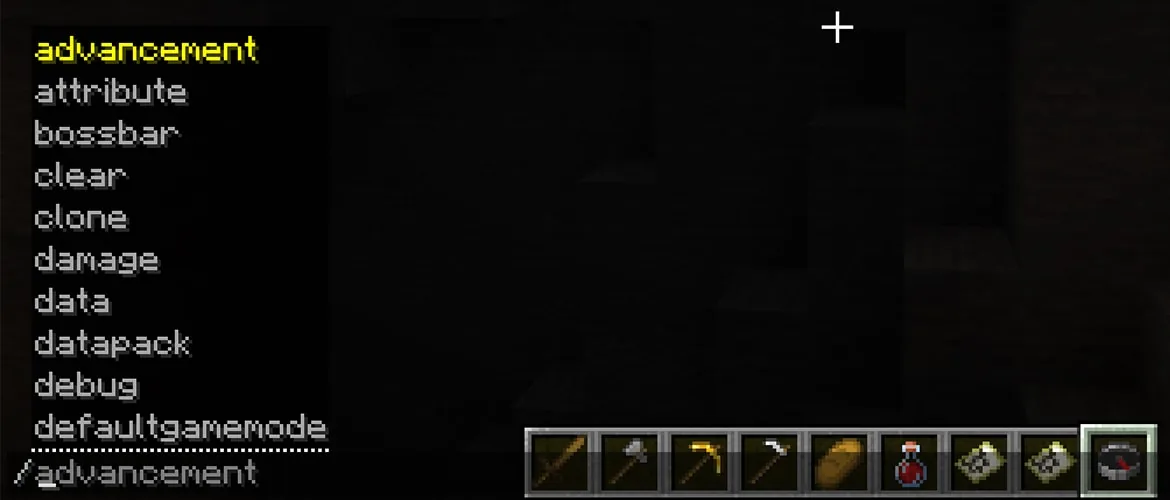
- You open chat with the T key, or straight with the / key, which types the slash for you. In Bedrock there is a chat button, and on a controller it is D-pad right.
- The Tab key completes command names, item names and arguments. The up arrow brings back your previous command.
- If you make a mistake, only you see the error message.
- In a command block and in the server console you do not type the slash.
Selectors: who the command targets
| Selector | Who it selects |
|---|---|
@s | yourself |
@p | the nearest player |
@a | all players |
@r | a random player |
@e | all entities (players, mobs, items on the ground) |
@n | the nearest entity |
Coordinates
You write coordinates in three forms. Absolute ones like 100 64 -20 are an exact place in the world. Relative ones with a tilde like ~ ~1 ~ are counted from you, and this one is one block up. Local ones with a caret like ^ ^ ^5 are counted by where you are looking, and this one is 5 blocks in front of you.
The most used commands: table for Java and Bedrock
Most commands are written the same or almost the same in both editions. Where they differ, you will find it in the Bedrock column.
| Command | What it does | Java 26.3 | Bedrock |
|---|---|---|---|
/gamemode | switches the game mode | /gamemode creative, also survival, adventure, spectator | the same, plus the shortcuts s, c, a and the numbers 0, 1, 2 |
/give | gives an item | /give @s diamond 64 | the same, optionally with extra data and components |
/tp (/teleport) | moves to coordinates or to a player | /tp @s 100 64 -20, /tp Alex Steve | the same, optionally with a check of the blocks at the destination |
/time | sets the time | /time set day (= 1000), also noon, night, midnight or a number; time add, time query; new: time pause, resume, rate | /time set day, plus sunrise and sunset; time query daytime, gametime, day |
/weather | changes the weather | /weather clear, also rain, thunder and an optional duration | the same, plus weather query |
/gamerule | changes a game rule | /gamerule keep_inventory true | /gamerule keepinventory true |
/effect | gives or removes an effect | /effect give @s night_vision infinite, /effect clear | /effect @s night_vision 600, /effect @s clear |
/locate | finds a structure or biome | /locate structure minecraft:stronghold, also locate biome and locate poi | locate structure and locate biome |
/fill | fills an area with blocks | /fill ~-5 ~ ~-5 ~5 ~ ~5 stone, modes replace, keep, outline, hollow, destroy, strict | the same, with a mode |
/clone | copies an area elsewhere | /clone 0 64 0 10 70 10 20 64 0 | similar |
/kill | kills the target | /kill @e[type=zombie] | the same |
/seed | shows the world seed | /seed | the command does not exist in Bedrock |
/summon | summons an entity | /summon minecraft:zombie | the same |
/enchant | enchants the item in your hand | /enchant @s sharpness 5, limits like at the anvil | the same, enchantments also by numeric ID |
/xp (/experience) | adds experience | /xp add @s 30 levels, also xp set and xp query | /xp 30L @s (L means levels) |
Be careful with /kill @e without a filter. It kills all entities, including you, and deletes every item lying on the ground. Let the Tab key suggest structure names for /locate.
A few more are handy: /setworldspawn sets the place where you appear in the world, /difficulty peaceful (or easy, normal, hard) changes the difficulty, and on a server you use /op, /kick and /ban.
Commands for building and Creative
There are officially no commands just for building, but these are the ones used most when you build:
/gamemode creativeswitches you to Creative./fillfills a whole area with one block./clonecopies a finished part of a build elsewhere. There is also/setblockfor a single block./time set dayand/weather clear, so you can see what you are building./gamerule advance_time falsein Java (dodaylightcycle falsein Bedrock) stops the day and night cycle, so it never gets dark on you.
In Creative, /give is also useful for items that cannot be crafted, /summon for spawning mobs, /enchant and /xp for enchanting and /tp for quick trips. You will find how everyday items are made in our crafting recipes guide.
/fill and /clone have a limit in Java on how many blocks they handle at once. If you hit it, you raise it with the game rule max_block_modifications.
Commands for Survival
/gamerule keep_inventory true(keepinventoryin Bedrock): you keep your inventory after death./locate structureshows the coordinates of the nearest structure, such as a stronghold./seedtells you the world seed in Java. In singleplayer it works even without commands enabled./time set dayskips the night./effect give @s night_vision infinitegives you permanent Night Vision in Java. That way you get the same effects as from potions without brewing.
In Bedrock, remember that turning on cheats in a world permanently disables achievements.
Game rules: gamerule in Java and Bedrock
This is where Java and Bedrock differ the most. In Java, game rules have been written with underscores since version 1.21.11 (keep_inventory, advance_time). Old names such as keepInventory or doDaylightCycle, which you will find in older guides, no longer work in Java. Bedrock still uses one-word names.
| What it does | Java 26.3 | Bedrock |
|---|---|---|
| you keep your inventory after death | keep_inventory true | keepinventory true |
| stops the day and night cycle | advance_time false | dodaylightcycle false |
| stops weather changes | advance_weather false | doweathercycle false |
| mobs (such as Creepers) do not destroy blocks | mob_griefing false | mobgriefing false |
| mobs do not spawn naturally | spawn_mobs false | domobspawning false |
| instant respawn after death | immediate_respawn true | doimmediaterespawn true |
| what percentage of players must sleep | players_sleeping_percentage | playerssleepingpercentage |
| fall damage | fall_damage | falldamage |
| shows coordinates | none, in Java just press F3 | showcoordinates true |
| command blocks work | command_blocks_work | commandblocksenabled |
Put /gamerule in front of every rule in the table. In Java 26.3 you can also change rules without typing, through World Options and the Edit Game Rules… button.
The command block
A command block runs a stored command when it receives a redstone signal. It cannot be crafted or mined. In both editions you get it with the command /give @s command_block. In Java it is also in the Creative inventory in the Operator Utilities tab, if you switch on Operator Items Tab in the Controls settings.
- You can only set it up and place it in Creative with commands enabled, or as an operator.
- You type the command into the block without the slash.
- On a Java server, the server.properties file must have
enable-command-block=true. The default value is false. - A game rule controls it too:
command_blocks_workin Java,commandblocksenabledin Bedrock.
Mojang explains the basics in its own commands guide. For more guides, head to our Minecraft guides. And if you want to change your character’s look, check out Minecraft skins.
Join our Discord GamersTogether to ask about commands, share your command block builds and find people to play with.
FAQ
Open chat with the T key or straight with the slash key, type a command starting with a slash and confirm with Enter. For it to work, commands have to be allowed in your world.
For coordinates type /tp @s 100 64 -20, and for another player /tp Alex Steve (it teleports the player Alex to the player Steve). It works the same in Java and Bedrock.
Type /time set day. If you want it to stay day, stop the day and night cycle: in Java /gamerule advance_time false, in Bedrock /gamerule dodaylightcycle false.
In Java 26.3, press Esc, open World Options and switch on Allow Commands in the General section. As the host, you can no longer enable it through LAN. In Bedrock you find it in the world settings under Cheats, but that permanently disables achievements in the world.
In Java type /gamerule keep_inventory true, in Bedrock /gamerule keepinventory true. The old spelling keepInventory does not work in current Java.
Information verified on 19 October 2026. The commands are valid for Java 26.3 and Bedrock 26.52. More in our Minecraft guides.