
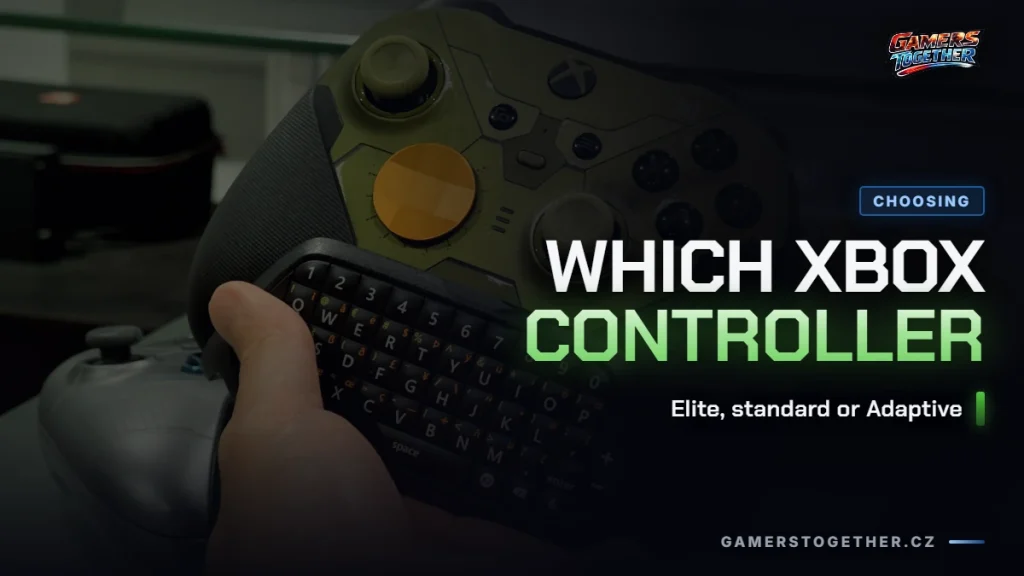
The standard Xbox controller does everything the vast majority of players need, and the difference compared to the expensive Elite Series 2 isn’t in precision or in how quickly it responds. It’s in the extras: swappable thumbsticks, paddles under your fingers and the ability to save control profiles to the controller itself. On top of that, Microsoft sells the Elite in two bundles that contain the same controller with different box contents.
The four models you’re really choosing between
| Model | Power | Bluetooth | Swappable parts | Ports |
|---|---|---|---|---|
| Xbox Wireless Controller | AA batteries, up to 40 hours | yes | no | 3.5 mm headphone jack |
| Xbox Elite Wireless Controller Series 2 | built-in rechargeable battery, up to 40 hours | yes | 6 thumbsticks, 4 paddles, 2 D-pads | 3.5 mm jack and expansion port |
| Elite Series 2 – Core | same as the full version | yes | 2 thumbsticks and 1 D-pad in the box | 3.5 mm jack and expansion port |
| Xbox Adaptive Controller | Microsoft doesn’t list battery life | yes | no, external inputs instead | 19 × 3.5 mm inputs, 2× USB 2.0, 3.5 mm headphone jack |
The specs come from Microsoft’s product and support pages and are valid as of 11 September 2026. Prices are deliberately left out of the table: accessory prices change every season, so copying them from price comparison sites isn’t worth it.
The standard controller: what you actually get
The Xbox Wireless Controller is the one that comes in the box with the console. It connects in two ways, via the Xbox Wireless protocol to the console and via Bluetooth to a PC, tablet or phone, and it’s compatible with Xbox Series X|S, Xbox One, Windows 10 and 11, Android and iOS. It runs on AA batteries and lasts up to 40 hours.
Three features are worth mentioning: the Share button for screenshots and recordings, the 3.5 mm jack for headphones and the hybrid D-pad. It has a textured grip on the triggers, the bumpers and the back, so the controller won’t slip out of your hands even after an hour of play. How to get a controller like this working outside the console is covered in our guide to connecting an Xbox controller to a PC.
Elite Series 2: what the extra money actually buys
Microsoft describes the Elite Series 2 as a controller for competitive play, and it’s compatible with all Xbox One and Xbox Series X|S consoles. It has three connection options: Xbox Wireless, USB-C with the included cable and Bluetooth. The battery is built in and rechargeable, and Microsoft lists the same battery life as for the standard controller on AA batteries, up to 40 hours.
According to Microsoft’s support page, the full version comes with the following:
- the controller and a carrying case
- a set of 6 thumbsticks: Standard (2×), Classic (2×), Tall (1×), Wide Dome (1×)
- a set of 4 paddles: Medium (2×), Mini (2×)
- a set of 2 D-pads: Standard and Faceted
- a thumbstick adjustment tool, a charging dock and a USB-C cable
Besides the swappable parts, the Elite Series 2 has an expansion port next to the 3.5 mm jack, a Profile button for switching between saved settings and a battery status indicator. You can manually change thumbstick tension with the included tool, which is the part of the package that nothing on a cheaper controller can replace.
What Microsoft doesn’t list for the Elite Series 2 is thumbstick lifespan or resistance to drift. Xbox controllers are poorly documented by the manufacturer in this respect, while for the PlayStation controller the topic gets its own article on DualSense drift. So nobody can promise you that the more expensive controller won’t develop drift.
Elite Series 2 – Core: the same controller, a smaller box
Microsoft states it explicitly: the Core is the same controller as the Elite Wireless Controller Series 2, just sold without the accessories, which you can buy separately in the Xbox Elite Series 2 – Complete Component Pack. The Core box contains the controller, two Standard thumbsticks, one Faceted D-pad, the thumbstick adjustment tool and a USB-C cable.
That makes the decision simple. If you know you’ll use the paddles, get the full version, because buying the components separately makes no sense. If you’re not sure and mainly want a rechargeable battery, stiffer thumbsticks and profiles, the Core does the same job.
Xbox Adaptive Controller: when it’s the only option
According to Microsoft, the Adaptive Controller is a hub for external controls, designed mainly for players with limited mobility. It has nineteen 3.5 mm ports and two USB 2.0 ports for connecting switches, large buttons or joysticks, plus one 3.5 mm headphone jack and a Profile button for switching between three profiles. Controller-free input isn’t on offer today, as our article on what Kinect is good for these days points out. It connects to Xbox One and Series X|S consoles via Xbox Wireless, and to Windows PCs, selected smart TVs, iOS and Android via Bluetooth and USB.
Watch out for older Xbox One controllers without Bluetooth
You can buy a used Xbox One controller cheaply, but not every unit supports Bluetooth. Microsoft explains how to tell them apart by their look: on a controller with Bluetooth, the plastic around the Xbox button is part of the front face, while on a controller without Bluetooth it’s part of the top edge with the bumpers. Before buying an older unit, it pays to check exactly this detail in the listing photos.
The second sign of an older model is a small round 3.5 mm port on the bottom of the controller. A controller like that can only be updated with a cable; it won’t accept firmware wirelessly.
Who the Elite isn’t worth it for
- You mostly play single-player games on the couch. Paddles and profiles pay off in competitive shooters, not in story games. The standard controller won’t hold you back.
- You just want a rechargeable battery. The Elite is an expensive way to get one, and a rechargeable kit for the standard controller solves that too.
- You have an older Xbox One controller that keeps acting up. A new one may not be the answer; first go through the steps for when your Xbox controller isn’t working.
- You’re buying a controller mainly for playing on your phone or in a browser. Any Bluetooth controller will do there, as we describe in getting started with Xbox Cloud Gaming.
What you’ll pair the controller with also matters. If you’re still choosing a console, the comparison is in our article Xbox Series X vs S, and if you care about playing away from the TV, the controller connects to the ROG Xbox Ally via Bluetooth, just as it would to any regular Windows PC. The same question for the other brand is covered in our article on which PS5 controller to choose.
FAQ
The controller is the same; Microsoft states this explicitly. What differs is the contents of the box. The Core comes with two Standard thumbsticks, one Faceted D-pad, the adjustment tool and a USB-C cable. The full version adds a carrying case, six thumbsticks, four paddles, a second D-pad and a charging dock.
For the standard Xbox Wireless Controller on AA batteries, Microsoft lists up to 40 hours. The Elite Series 2 has a built-in rechargeable battery, and Microsoft lists the same battery life, up to 40 hours on a single charge.
According to Microsoft, the Elite Series 2 is compatible with all Xbox One and Xbox Series X|S consoles, and so is the standard Xbox Wireless Controller. Watch out for older Xbox One controllers without Bluetooth, though: they connect to the console, but not to a phone.
On the Elite Series 2, yes: you change the tension manually with the included thumbstick adjustment tool. On the standard Xbox Wireless Controller you can’t, and its thumbsticks aren’t swappable either. It’s one of the main differences between the two models.
The standard Xbox Wireless Controller, the Elite Series 2 and the Adaptive Controller all have a 3.5 mm jack. The Elite Series 2 also has an expansion port. We cover which headsets work with the jack, and the catch to watch for, in our article on u003ca href=u0022/sluchatka-na-xbox/u0022u003eheadsets for Xboxu003c/au003e.
Details verified as of 11 September 2026. Microsoft describes the contents of the Elite Series 2 box slightly differently on two different pages; this article follows the more specific list from the support page. You’ll find more articles about Xbox console hardware in the Xbox on Gamers Together hub.
Featured image photo: Kim Kwan, CC BY 2.0.