

In League of Legends, most team communication happens through pings. Riot itself says Smart Ping lets you get even complex plans across faster and more safely than typing. This guide covers how to use the Smart Ping wheel, what each ping means, how to start an objective vote, how to enable all chat and which commands mute a player who’s getting on your nerves. At the end you’ll find how many pings your Honor level allows and where voice chat stands. Everything here is valid for patch 26.20 as of 20 October 2026.

How the Smart Ping wheel works
Smart Ping is a radial menu with eight alerts that you open right in the game. Here’s how to use it:
- Hold
AltorCtrland left-click (Alt/Ctrl+ click). - The ping wheel opens. Drag your mouse towards the alert you want to send.
- Release the mouse button to send the ping. Right-click to cancel.
You don’t need the wheel for the two most common pings. Press G for a simple ping and V for a Caution ping. You can ping both the terrain and the minimap, and your teammates hear a sound with every ping.
What each ping means
The wheel has eight alerts, plus the simple ping and Caution on their own keys. The meaning comes straight from the name you see in the game:
| Ping | What you’re telling your team |
|---|---|
| Retreat | back off, fall back |
| Push | push the lane |
| On My Way | I’m heading to where I pinged |
| All-In | let’s commit fully |
| Assist Me | help me |
| Need Vision | we need vision here |
| Enemy Missing | an enemy has disappeared from view |
| Enemy Vision | the enemy has vision here |
Ping (G) | a general marker on a spot |
Caution (V) | careful, warning |
One thing to watch with ward pings. Since the 2026 season (patch 26.1), the map has Faelights, rings of glowing mushrooms. A ward placed inside one sees further and reveals an extra bonus area. The enemy normally can’t tell, but if you ping that ward, you give away that it’s sitting in a bonus area. How Faelights and wards work is covered in our vision and wards guide.
Objective voting
Pinging a major objective, meaning a dragon, Baron or the Rift Herald, starts a team vote on whether to go for it. If the objective hasn’t spawned yet, use the All-In ping instead. That way your team sees what you want to do and can agree before the objective appears.
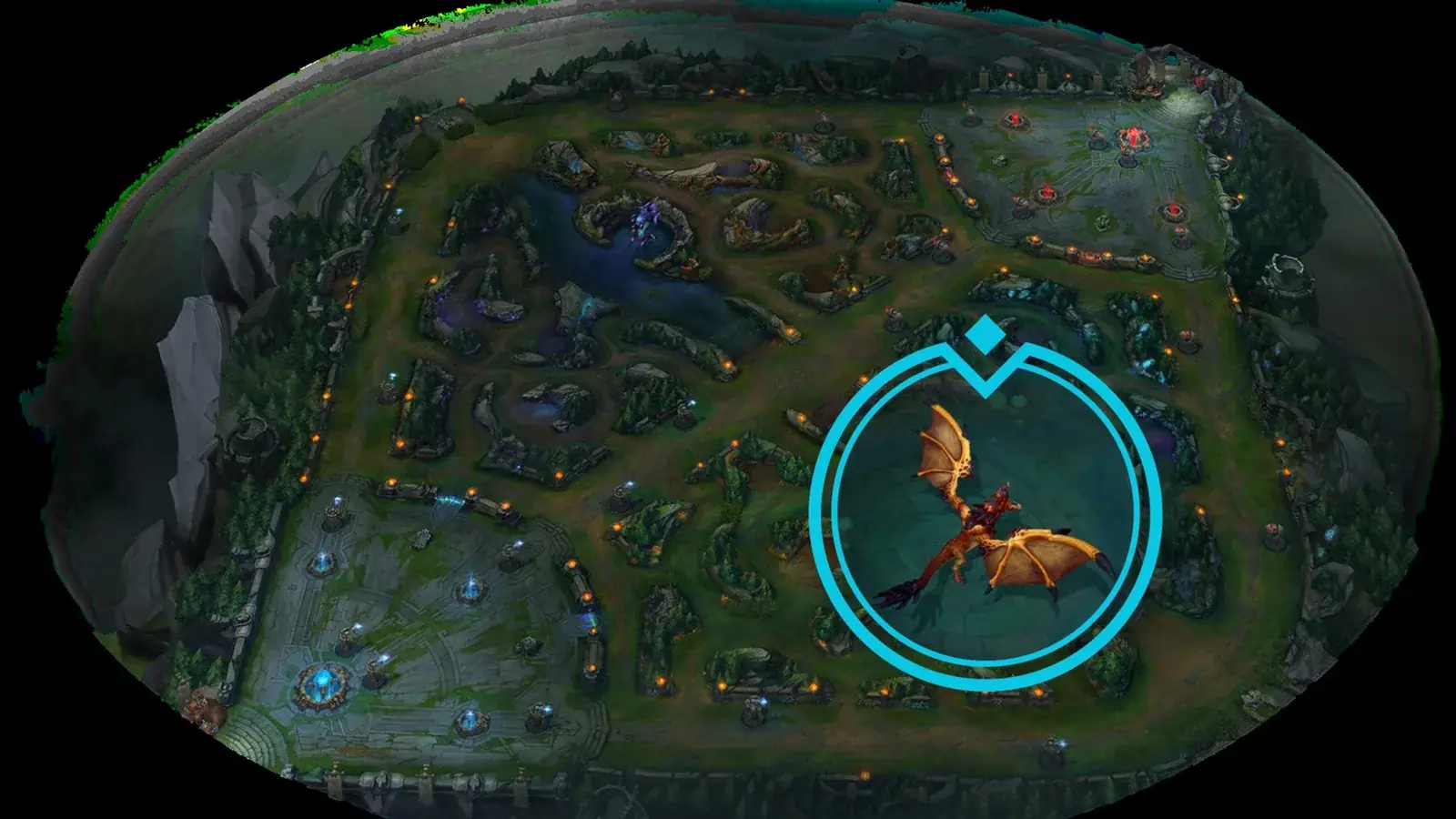
When each objective spawns and what it gives you is in our jungle objectives guide. What each role is responsible for is explained in the overview of LoL roles.
Allied chat and all chat
Allied chat reaches your own team, while all chat is also read by your opponents. Allied chat is on, but all chat is disabled when you first install the game. To enable it:
- Press ESC in a game to open the options.
- Pick the Interface tab on the left.
- Scroll down to the Chat section.
- Tick “Show [All] Chat (Matched Games)”.
You then write to all chat with Shift+Enter. Your message automatically starts with the /all command, which you can also type yourself. If you want complete silence from your teammates, untick “Show [Allied] Chat” in the same section. Allied chat stays off in future games until you turn it back on.
Chat commands: how to mute players
You type commands into the in-game chat. For commands aimed at one player, add their name after the command. Overview based on Riot’s chat commands page:
| Command | What it does |
|---|---|
/mute | mutes one player’s text for the rest of the game |
/muteping | mutes one player’s pings for the rest of the game |
/fullmute | mutes text and pings from all players for the rest of the game |
/ignore | mutes a player in this game and all future ones |
/ignore all | mutes all players for this game |
/ignore enemy | mutes all enemy players for this game |
/muteself | stops you from chatting and tells your team you’re muted |
/deafen | stops you from chatting and from seeing other players’ text, your team is notified |
/ff or /surrender | starts or casts a surrender vote, the vote stays open for 60 seconds |
/remake | uses the remake window when someone is AFK |
/all | sends a message to all chat |
/help | lists all commands with descriptions |
If someone is spamming pings, /muteping is the quickest fix; if they’re typing, /mute is enough. In Swiftplay you can surrender from minute 12 with 70% of votes, and from minute 25 a 50% vote is enough. What Swiftplay is and which other modes the game has is covered in our game modes overview.
Ping and chat limits by Honor
Honor is Riot’s system for rating your behaviour. It has levels 1 to 5 and everyone starts at level 3. How much you can ping and where you can type depends on it. If you ping more than your limit allows within 5 seconds, your pings are temporarily blocked.
| Honor | Pings per 5 s | Emotes per 5 s |
|---|---|---|
| 1 | 2 | 2 |
| 2 | 4 | 2 |
| 3 | 6 | 3 |
| 4 | 7 | 4 |
| 5 | 7 | 5 |
Chat access by Honor:
- team and party chat are open to everyone,
- champion select and post-game chat from Honor 2,
- all chat from Honor 3,
- Targeted Ally Pings only at Honor 5.
How you earn Honor and why it can drop is explained in our article on the Honor system.
Voice chat and Team Voice
LoL has had voice chat since patch 8.6, but only for parties, the players you queue up with as a premade group. It’s off by default and you can turn it on at any time.
Team Voice, voice chat with your whole team including players you didn’t queue with, is launching with patch 26.20 in North America and Oceania only. Riot plans further regions depending on how it performs, and the ability to talk will be tied to Honor. As of 20 October 2026, Riot has not announced Team Voice for Europe.
Ping as latency: Ctrl+F
In LoL the word ping means two things: an alert for your team and your connection latency. Press Ctrl+F in a game to show your latency and FPS. You can rebind it under Options → Hotkeys → Display → Toggle FPS Display. What to do about high latency is covered in our ping and lag guide.
Join our Discord to find teammates you can talk to without pings, for Clash or flex games: GamersTogether Discord.
FAQ
Hold Alt or Ctrl and left-click. Drag towards the ping you want and release, or right-click to cancel. G sends a simple ping and V a Caution ping.
Press ESC in a game, open the Interface tab, scroll to the Chat section and tick “Show [All] Chat (Matched Games)”. You then write to all chat with Shift+Enter. All chat is also only available from Honor 3.
Type /muteping followed by the player’s name. Their pings stay muted for the rest of the game. Use /mute for text and /fullmute for text and pings from all players.
You’ve most likely hit the ping limit for 5 seconds. It depends on your Honor level: 2 pings at Honor 1, six at Honor 3 and seven at Honor 4 and 5. After a short pause your pings work again.
Not as of 20 October 2026. Riot is launching Team Voice with patch 26.20 in North America and Oceania only and has not announced it for Europe. Party voice chat works in Europe too.
Information verified on 20 October 2026. More guides are waiting in our League of Legends hub.