
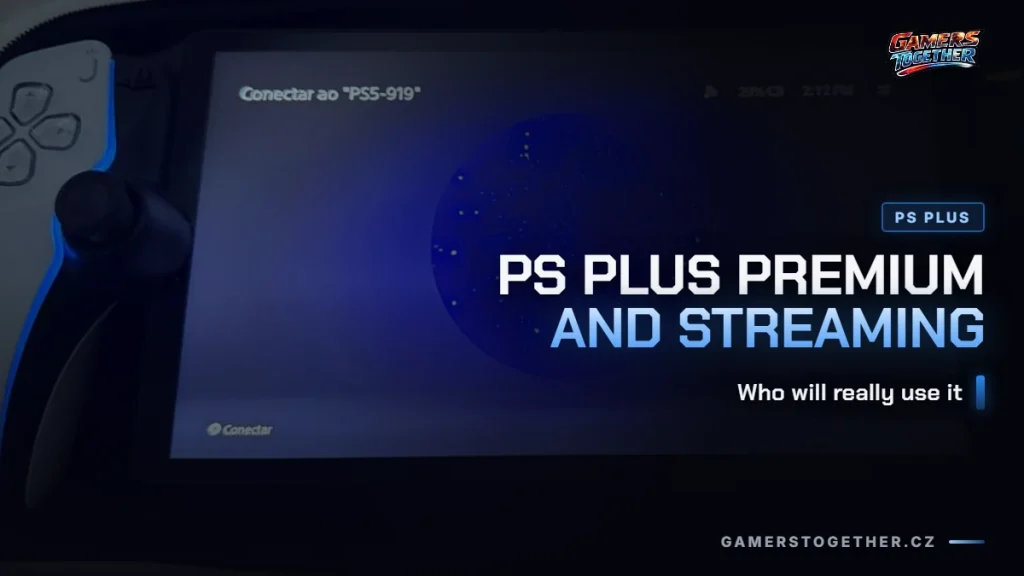
PS Plus Premium streaming is the one cloud service lots of players already pay for without knowing it. Sony offers it in a range of supported countries, and it runs on the PS5 console and on the PlayStation Portal remote player, even when your console is switched off. For a full comparison of the tiers, see our overview of PS Plus Essential, Extra and Premium.
What you can stream
The selection isn’t the same as what you can download in Premium. You can stream:
- games from the PS Plus Game Catalog, the part of the subscription that Extra also has,
- games from the Classics Catalog, where Sony’s streaming info talks about hundreds of PS3 and PS2 titles, while its membership comparison table lists classics for PS1, PS2 and PSP,
- selected digital games from your own library that you bought on the PlayStation Store,
- selected free-to-play titles,
- streamed game trials of big PS5 games.
In Sony’s wording, “selected” is the key word. Not every PS5 game can be streamed, only some titles, and Sony runs a separate cloud streaming game finder for this. Monthly games, which you claim and keep in your library, work differently, and we cover them in the article on how free games in PS Plus work.
PS3 classics have never been playable on PS5 from a disc or a downloaded copy, so streaming is the only way to get to them. PS4 games are the opposite: they run normally on PS5, and we cover them in the article do PS4 games work on PS5.
What it runs on: PS5 and PlayStation Portal
Sony’s cloud streaming page for the Czech market lists two devices: the PS5 console and the PlayStation Portal remote player. PC doesn’t get a single mention: it’s not among the devices, not in the FAQ and not in the eligibility requirements, where Sony otherwise spells out everything you need. So in the market we checked, it’s PS5 and PS Portal, full stop, and if you want to play on a computer, you’ll have to turn to GeForce NOW.
PS Portal has one more limitation: only selected PS5 games can be streamed on it. When asked whether PS4 and PS3 games will work on it, Sony answers with a flat no. Our article on the PlayStation Portal covers who the device itself suits and who it doesn’t.
It works even with your console switched off
Cloud streaming runs on Sony’s servers, so your PS5 doesn’t need to be on, and it doesn’t matter if another account in your household is using it at the time. Saves are automatically stored in the cloud, and you can continue on another compatible device.
Remote Play, which people confuse it with most often, is something else. It streams the picture from your own console, so the console has to be on or in rest mode, and you play the games you have installed on it. Our guide to Remote Play on mobile and PC explains how to set it up.
How much internet speed you need
Sony has a full table of recommended speeds for streaming on PS5. A session itself will start at just 5 Mbps download and upload, but the picture quality will reflect that.
| Resolution | Recommended speed for PS5 |
|---|---|
| 2160p (4K) | 52 Mbps |
| 1440p | 38 Mbps |
| 1080p (Full HD) | 23 Mbps |
| 720p (HD) | 13 Mbps |
| Starting a session | 5 Mbps download and upload |
For PS Portal, Sony gives a second, lower set of numbers on the same page: 5 Mbps to start a session, at least 7 Mbps for 720p and at least 13 Mbps for 1080p. So for 720p, two numbers on one page contradict each other: the PS5 table says 13 Mbps, the PS Portal list says 7 Mbps. The table gives recommended speeds and the Portal list gives minimums, but there’s no reconciling them, and Sony shows both side by side. On top of that, the main PS Plus page has a third version: at least 5 Mbps, and 15 Mbps for 1080p. Everything verified on 23 August 2026.
The quality ceiling is up to 4K with HDR at 60 Hz, including Tempest 3D AudioTech, but you need those 52 Mbps for it. For comparison, NVIDIA recommends 45 Mbps for 4K at 120 fps. How connection speed translates into picture quality in general is explained in our overview what is cloud gaming.
What else you need
Sony spells out the eligibility requirements in a list, and the last item regularly catches people by surprise.
- a PlayStation account and an active PS Plus Premium membership,
- being in one of the supported countries (excluding overseas territories),
- a broadband Wi-Fi connection,
- for PS Portal, owning the device itself,
- an adult account: cloud streaming isn’t available on child accounts.
That last one is why the feature quietly fails in many households. A child with their own child account can’t stream, even if the family is on Premium. Our guide to parental controls on PS5 describes everything you can set up on a child account.
When Extra is enough and when Premium makes sense
| What you get | Extra | Premium |
|---|---|---|
| Game Catalog (hundreds of titles) | yes | yes |
| Ubisoft+ Classics | yes | yes |
| Classics Catalog | no | yes |
| Game trials | no | yes |
| Cloud streaming | no | yes |
| Price for 12 months (Czech PlayStation Store) | CZK 3,280 | CZK 4,000 |
The Czech prices are valid as of 11 September 2026 and are the only two amounts Sony publishes for these two tiers. It only shows monthly and three-month rates after you sign in, so we don’t list them here. The yearly difference comes to CZK 720, roughly CZK 60 a month, and for that CZK 60 you’re buying classics, trials and streaming.
Extra is enough if you play on PS5 at home, download your games normally, don’t care about gaming history from PS2 and PS3 and don’t have a PS Portal. The Game Catalog, which is the reason people pay for PS Plus, is the same in both tiers.
Premium makes sense in four situations:
- You have a PlayStation Portal. Cloud streaming is the only way to play on it without leaving your console running.
- You want to play classics. Hundreds of PS3 and PS2 games can’t be launched on PS5 any other way.
- You’ve run out of storage. A streamed game doesn’t take up even a gigabyte, which is cheaper than a new drive. For other fixes, see our guide on what to do when your PS5 is full.
- You like to try games before buying. Streamed trials of big titles are in Premium and nowhere else.
Don’t buy Premium if your internet is slow: below twenty megabits you won’t get Full HD. The same goes for a child’s account. Nor is it for you if you want to play on a computer: Sony doesn’t mention PC for cloud streaming, and there are better routes on PC, such as renting a whole machine through Shadow PC.
FAQ
Only in the supported ones. Sony lists the countries with access to cloud streaming, and overseas territories are excluded. You also need an active PS Plus Premium membership, an adult account and broadband Wi-Fi.
According to Sony’s pages for the Czech market, no. They list only the PS5 console and PlayStation Portal as cloud streaming devices, and PC isn’t mentioned in the device list, the FAQ or the eligibility requirements. If you want to play on a computer, you’ll have to use a different service.
For PS5, Sony recommends 52 Mbps for 4K, 38 Mbps for 1440p, 23 Mbps for Full HD and 13 Mbps for 720p, and a session starts at just 5 Mbps. For PS Portal, it gives lower minimums: 7 Mbps for 720p and 13 Mbps for 1080p. For 720p, the two sets on the same page contradict each other.
No. Cloud streaming runs on Sony’s servers, so it works even with your console switched off or while another account is using it. That’s how it differs from Remote Play, which streams the picture straight from your console and needs it switched on.
The yearly difference in the Czech store is CZK 720, roughly CZK 60 a month, and for that you get streaming, the Classics Catalog and game trials. It’s worth it if you have a PlayStation Portal, want to play PS2 and PS3 titles or are running out of storage. Otherwise, Extra gives you the same Game Catalog for less.
The lineup of streamable games changes regularly, and Sony runs its own game finder for it, so check specific titles there before you buy. You’ll find more articles about cloud gaming in our cloud gaming section on Gamers Together. Information verified as of 23 August 2026.
Featured image photo: ArlindoPereira, CC BY 4.0.